I Built a Time Machine for NetSuite's File Cabinet
In the past, I've accidentally deleted files from the NetSuite File Cabinet. It doesn't happen often, but when it does, you always wish you had a copy. The most ironic thing is that some files are very small yet important. Which got me thinking... what if I had a tool that constantly backed up the File Cabinet's contents? I could always go back to it and restore an important file. I could also help other people restore theirs.
I've also seen people overwrite files, whether by hand or through a poorly written script. In these cases, the problem is not only losing a file. It is not knowing what changed, when it changed, or whether the version you are about to restore is actually the right one.
So I built Capsule: a safety net for the NetSuite File Cabinet.
This is an MVP, not a finished backup platform. It is a first attempt at proving the fundamentals.
The idea
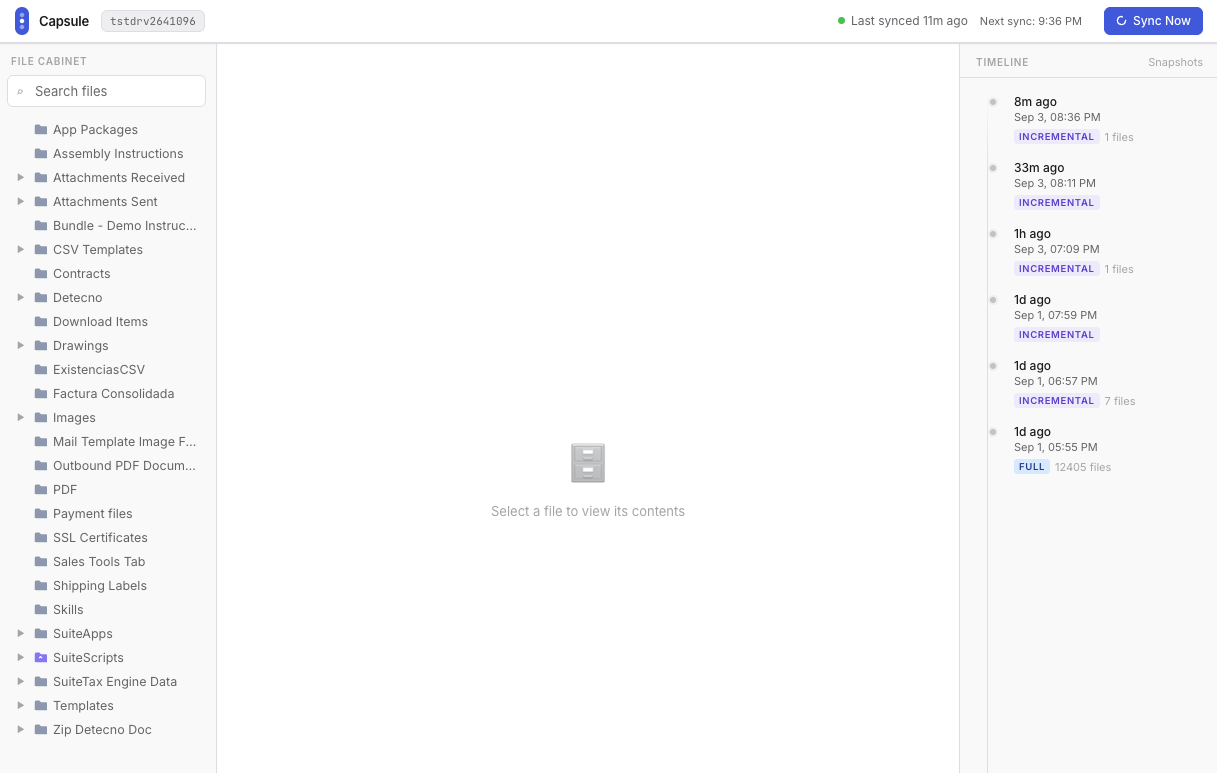
Capsule keeps the File Cabinet visible as a history, not just a pile of backups.
The original idea was bigger than the MVP.
I wanted a way to take snapshots of a NetSuite account's objects and data, keep those snapshots available, compare them over time, and restore them when something went wrong. Scripts, searches, forms, templates, catalogs, transactions (although you can see how this would get tricky... fast), and File Cabinet files: everything that makes an account more than just a database.
There are a few questions hiding inside that idea:
- What exactly should a snapshot contain?
- Do you need the whole account, or just one kind of object?
- How do you see the difference between two snapshots?
- Can you restore one file without restoring everything around it?
- Can you restore into another account?
- Can you preview a file without having to restore it to NetSuite?
- How do you do any of this safely when the data belongs to an ERP?
- Could this work as a "Dropbox" alternative for securely sharing files between NetSuite accounts?
For the first version, I narrowed the scope to the File Cabinet. That gave me a smaller surface area to work with and a concrete workflow to test from end to end.
What the MVP does
The current version is built around a simple loop:
- Connect to NetSuite.
- Read File Cabinet files.
- Create a snapshot of the files and their metadata.
- Run later synchronizations that only pull what has changed.
- Show the files, snapshot history, and sync status in a web interface.
- Trigger a restore when a previous version is needed.
The UI is intentionally straightforward. I wanted to be able to answer a few questions quickly:
- Did the sync run?
- What did it find?
- Which files changed?
- What snapshots exist?
- What would I be restoring?
That last question matters more than it sounds. A backup is only useful if you can understand it before you use it. Has it ever happened to you that you bought something a few years ago and stored it in a box at home, underneath some other box? At this point, you may not even remember whether it is still in a box or whether you got tired of seeing it around, decided you had no use for it, and gave it away. In other words, having something but not knowing where it is is almost as bad as not having it.
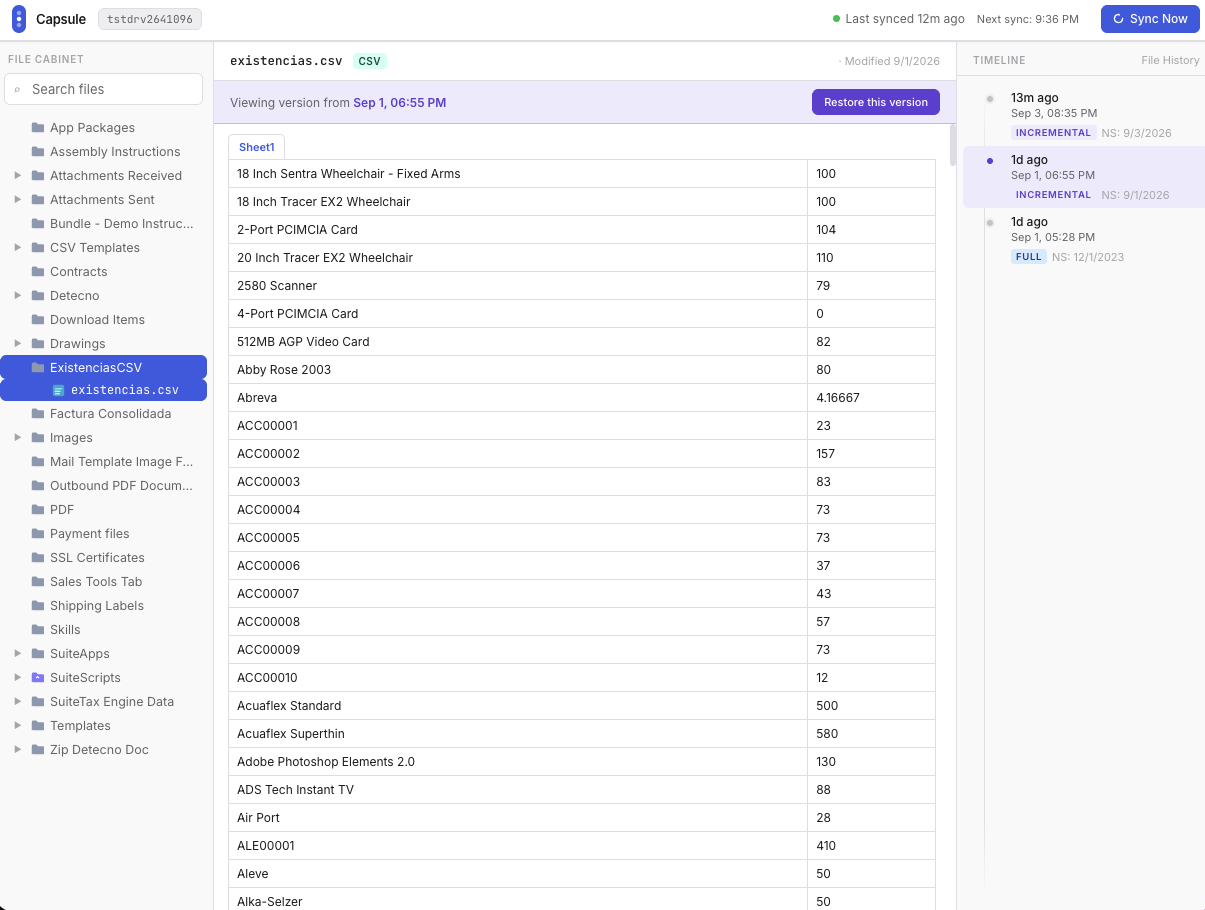
A historical version can be opened and inspected before restoring it.
Why start with the File Cabinet?
The File Cabinet is a good place to start because it sits right on the boundary between application code and business operations.
A file might be a script, a template, an image, an integration payload, or something used by a process nobody remembers setting up. It may not look important until it disappears and something breaks.
It is also a useful MVP boundary. I can work on the mechanics of discovery, snapshots, change detection, and restore without pretending that I have solved every possible versioning problem in NetSuite.
The larger product can come later. The first question is simpler: can I make File Cabinet history visible and recoverable?
The part that took some figuring out
The easy version of a backup is to copy everything every time.
That works for a demo, but it is wasteful. It moves files that have not changed, makes each snapshot larger than it needs to be, and makes it harder to understand what actually happened between two points in time. It also makes the process more costly.
So Capsule uses a full snapshot first, followed by incremental synchronizations. A later sync checks the files it already knows about and only pulls the ones that are new or changed.
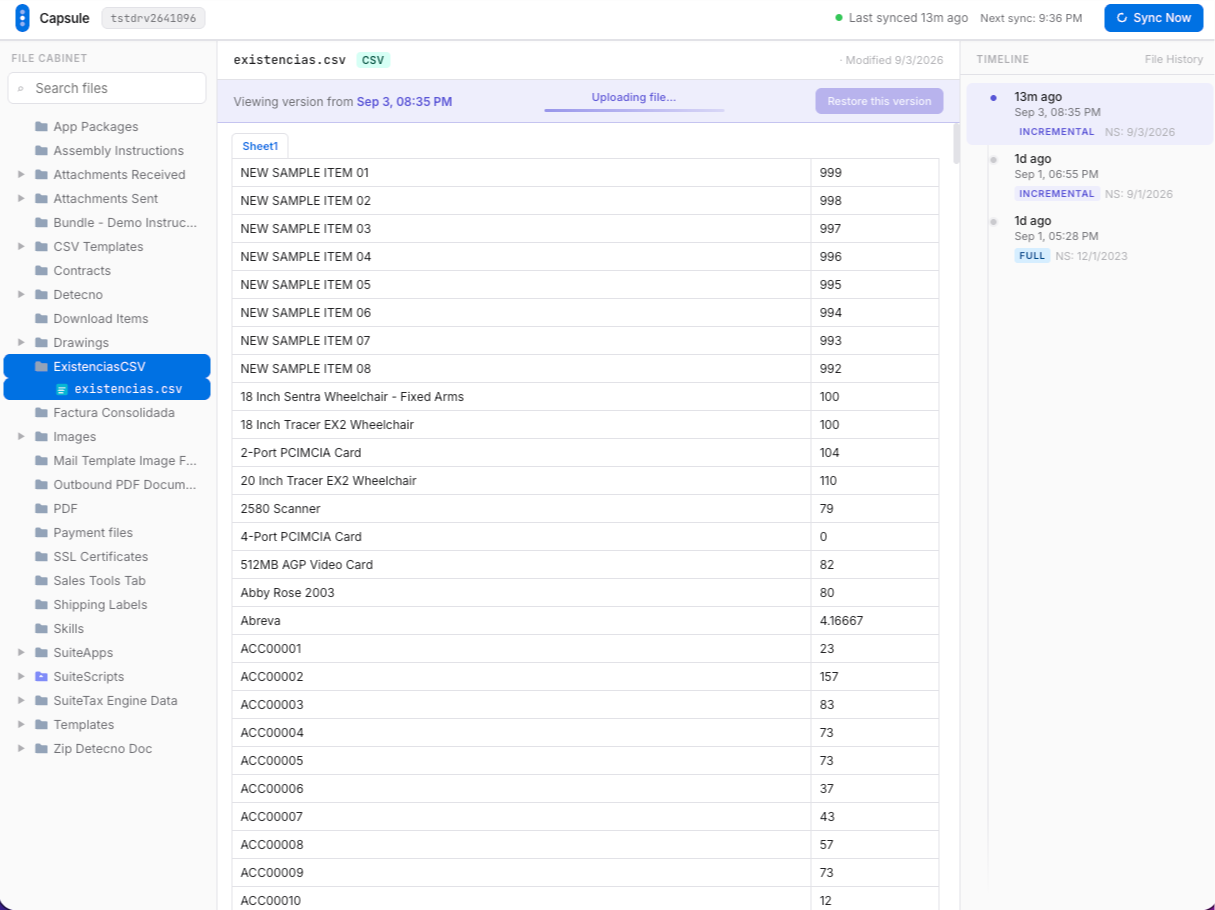
Later synchronizations only pull files that are new or changed.
That sounds like a small implementation detail, but it changes the product experience. Instead of a backup job that just says “complete,” you can start thinking in terms of history:
- this file was added;
- this file changed;
- this file was removed;
- this is the version that existed yesterday.
That is the direction I want Capsule to move toward: not just storage, but a useful explanation of what happened.
Restore is a different problem from backup
Taking a snapshot is relatively easy to describe. Restoring one is where the consequences become real.
Before a restore is safe, the system needs clear answers to questions like:
- Does it restore one file or an entire snapshot?
- Does it overwrite the current file?
- What happens when a file was deleted from NetSuite?
- Can I preview the changes first?
- Can I restore to a different account?
- What permissions should be required?
I do not want Capsule to make destructive actions feel casual. The more useful this becomes, the more important it is to show the user exactly what will happen before anything is overwritten.
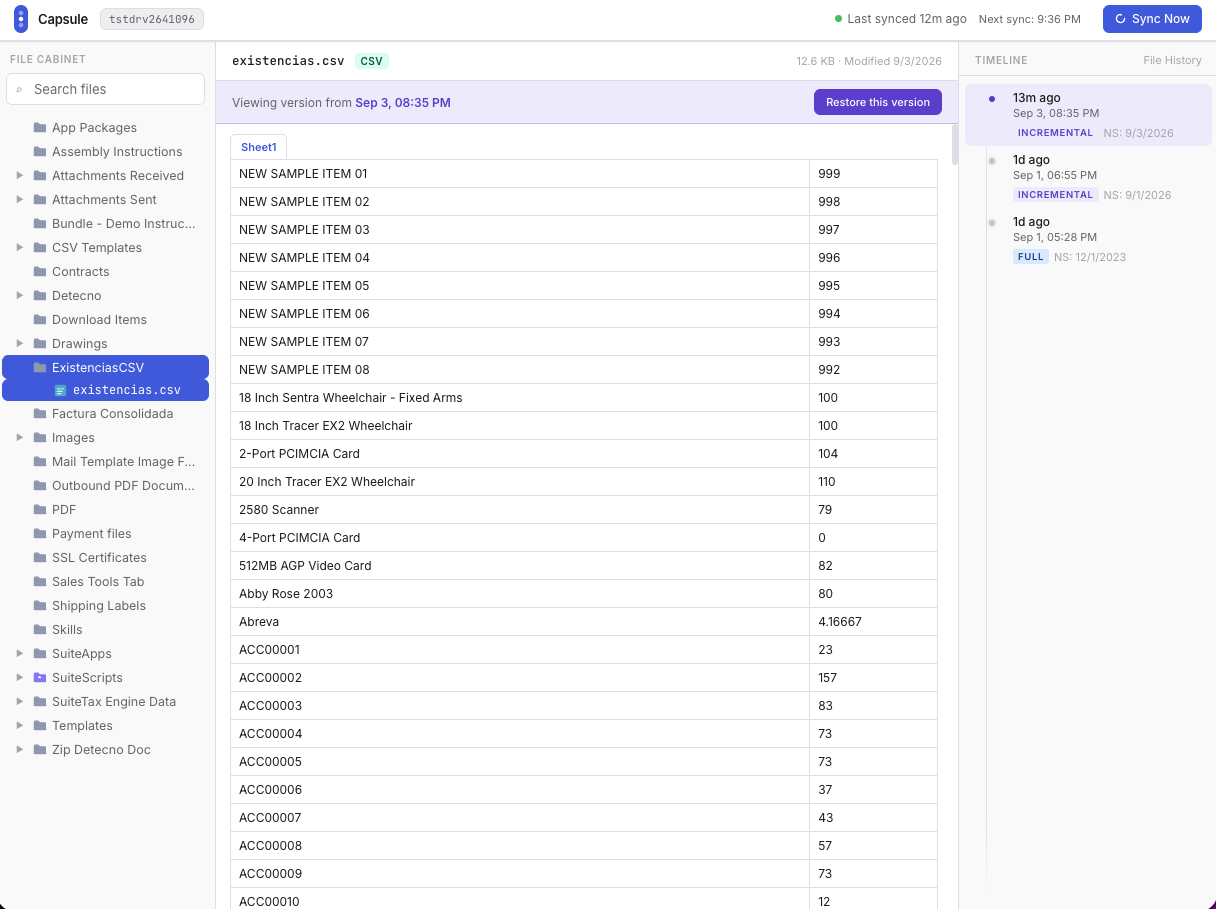
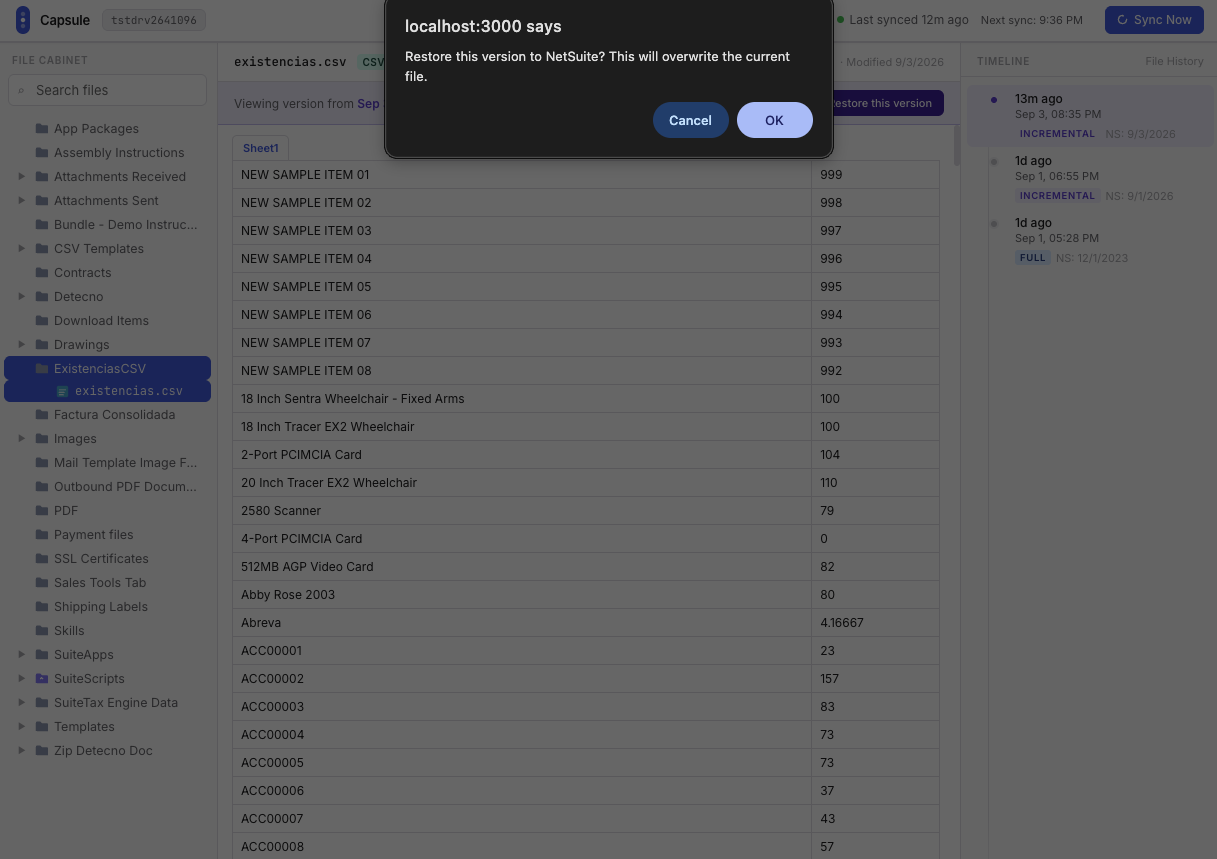
The restore flow makes the consequence explicit before anything is overwritten.
What I learned
The hardest part of this project was not copying files.
It was deciding what a snapshot should mean. This is a tempting rabbit hole to go down: there are many ways to do backups and snapshots. AWS has a useful overview of full, incremental, differential, synthetic-full, and forever-incremental backups.
Is it just a folder of files? Is it a record of changes? Is it a recovery point? Is it a deployable version? Those sound similar, but they lead to different product decisions.
Building the MVP forced me to choose one small, concrete definition: a snapshot is a point in time representation of the File Cabinet that can be inspected and used as the basis for a restore.
That definition is still evolving, but it is specific enough to build against.
I also keep coming back to the same observation about NetSuite: some of the best product opportunities are at the seams. The platform is powerful, but there are many workflows where the capability exists without the experience sometimes feeling complete.
Backups are one of those seams.
What comes next
Honestly? I'm not sure. I could easily come up with dozens of nice-to-have features, but I've been guilty in the past of building in a vacuum. I'm more interested in putting this out there and seeing where it should go next.
Wrapping up
Capsule started as a broader idea: a time machine for NetSuite.
The MVP is much smaller. It focuses on the File Cabinet, incremental syncs, snapshot history, and the beginnings of a restore workflow.
That is enough for now.
The goal of this first version was not to solve every recovery problem in NetSuite. It was to prove that the recovery workflow could be made inspectable, understandable, and a little less stressful.
That is what Capsule is today. The interesting question is how far the idea can go.
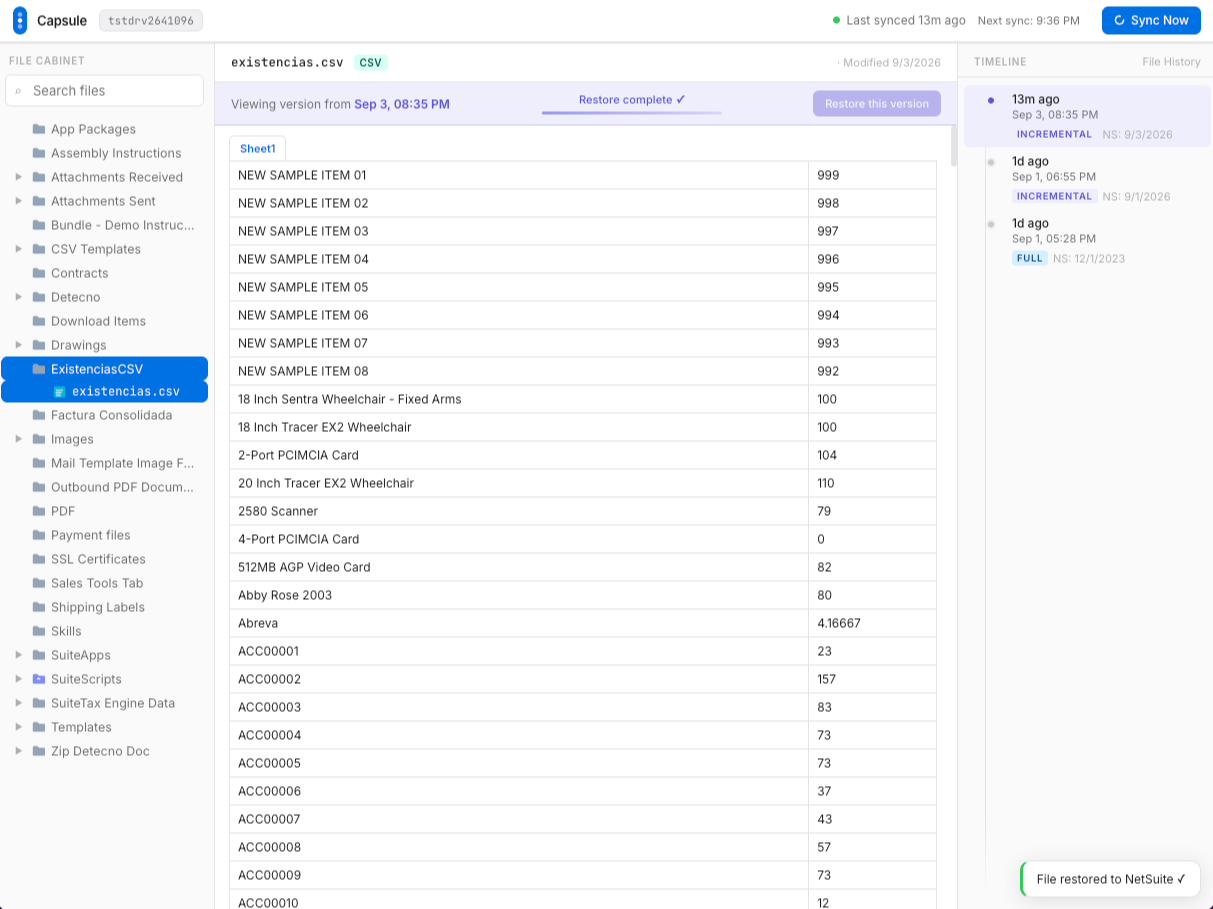
The completed restore is recorded in the same history.